


Diode Laser + Infrared Laser
One machine, multiple possibilities.
Dual Laser Optional, Extensive expansion modules

Couldn't load pickup availability
Estimate delivery times: 10-20 days (Standard), 7-10 days (Expedited).
Return within 30 days of purchase. Duties & taxes are non-refundable.
Covered by a 1-year warranty for added peace of mind.
24-hour online after-sales support whenever you need help.


Diode Laser + Infrared Laser
Dual Laser Optional, Extensive expansion modules
Unlock ALL MATERIALS



See what the creators and experts comment on Carverall K15 Pro

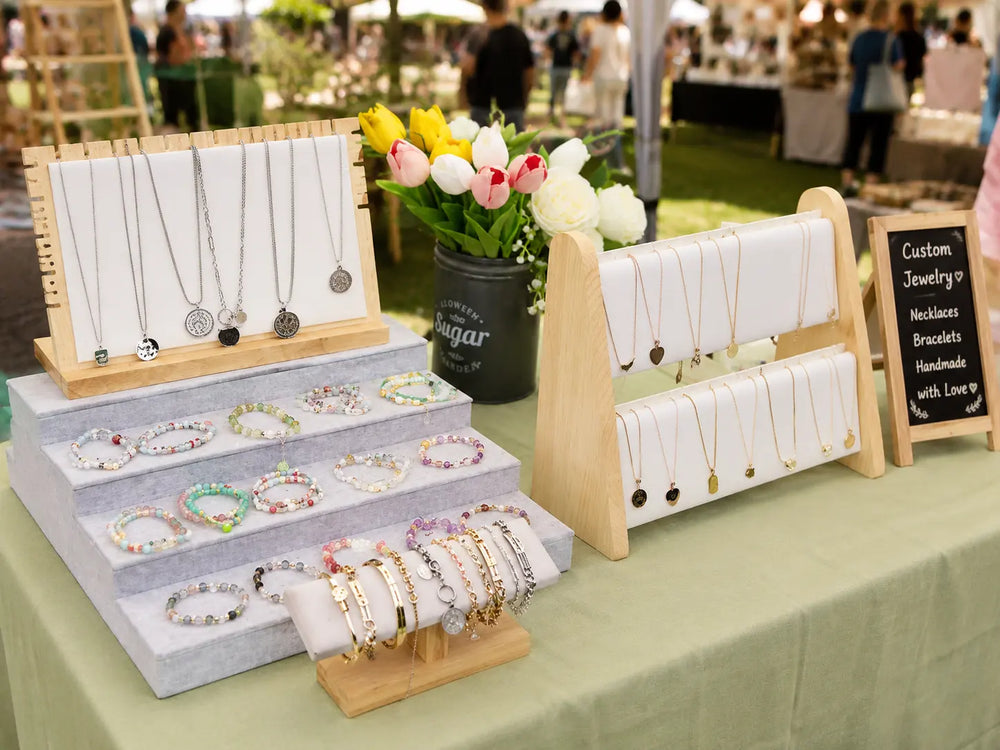
I used the K15 Pro to engrave my friend’s name, a special date and a personal message on a pendant. The fine details came out beautifully, turning a simple piece of jewelry into a meaningful gift made just for her. She absolutely loved it.
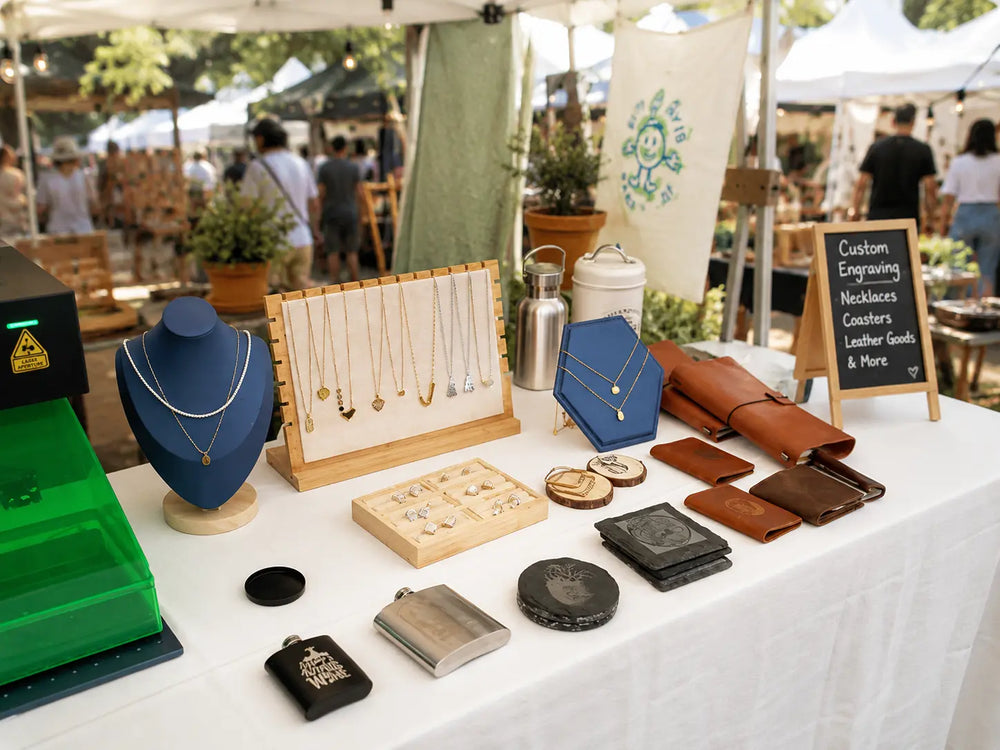
We use the K15 Pro to add initials, handwriting, symbols and detailed artwork to custom pendants. The fine laser spot captures delicate details beautifully, allowing us to turn simple jewelry into personal keepsakes that customers are proud to wear and gift.
The K15 Pro makes it possible to engrave names, dates and short messages inside rings with impressive clarity. Even very small characters remain clean and readable. It has helped us offer meaningful personalization without compromising the refined finish of our jewelry.
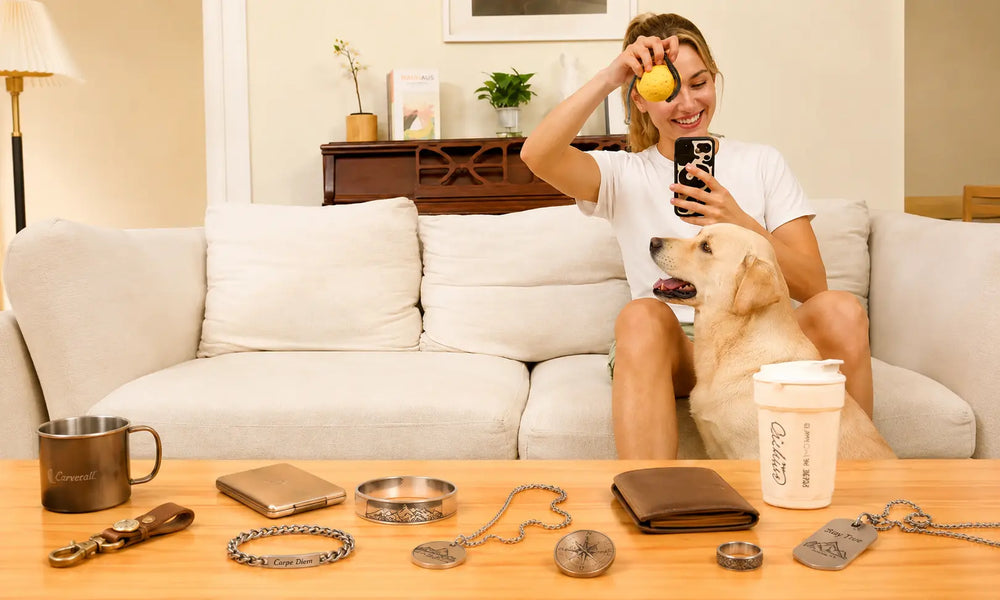
What impressed us most is the range of materials we can work with. From glass and acrylic to metal, leather and plastic, the K15 Pro allows us to accept more customized orders without adding several different machines. It has become a versatile part of our daily production workflow.
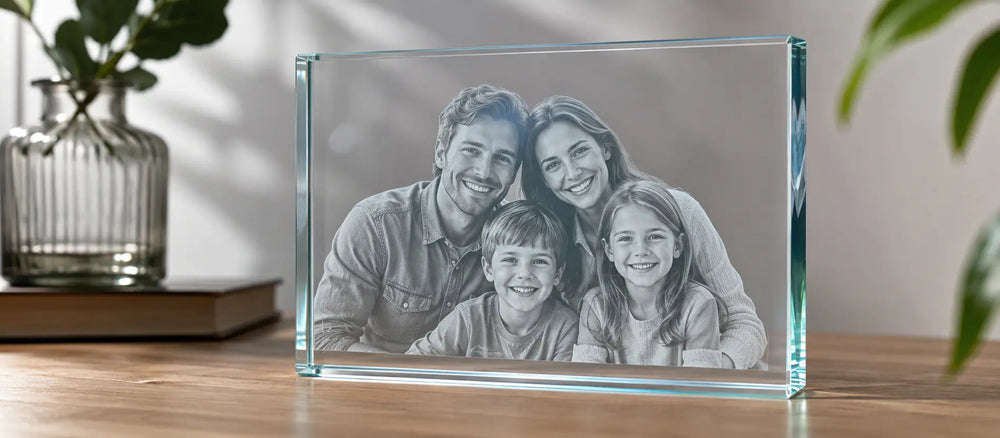
The K15 Pro allows us to create crisp names, logos and detailed artwork directly on glass gifts. The fine UV laser spot produces clean results without the heavy charring or rough edges we experienced with other processes. It has helped us offer more premium personalized products with a professional finish.
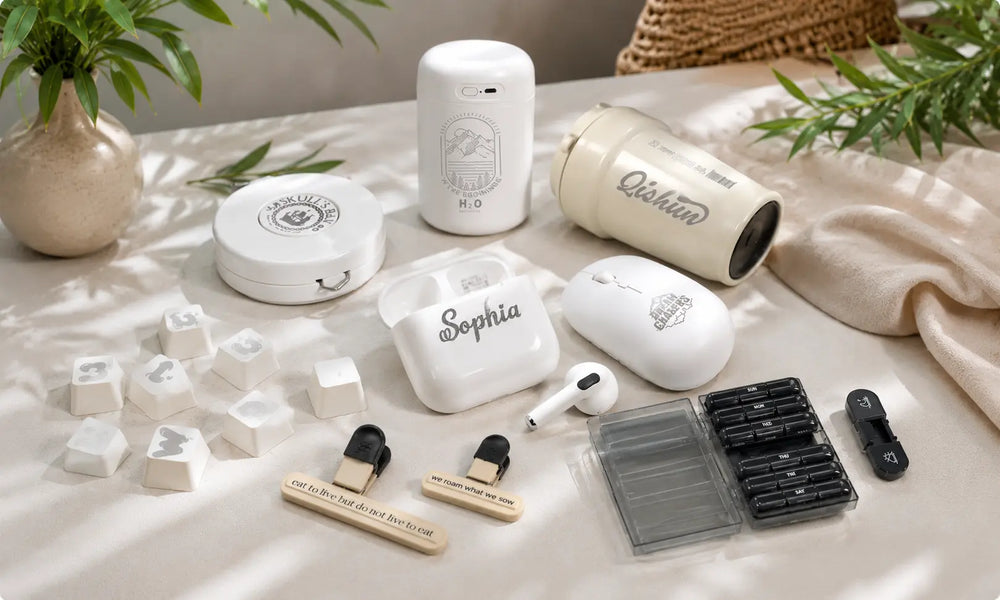
Plastic marking used to be difficult because heat could easily melt or discolor the surface. The K15 Pro gives us sharp text, serial numbers and logos with much better control. We can now handle more plastic products while maintaining a clean and consistent appearance.
WATCH
”This hands-on review walks through the K15 Pro 12W from assembly to real-world testing. See how its compact design, precise 0.01 mm positioning and engraving speeds of up to 15,000 mm/min perform across different creative projects. A practical overview for beginners, hobbyists and small workshops considering an easy-to-use desktop laser engraver.“
“The creator puts the K15 Pro through a dedicated metal engraving test, demonstrating the setup, engraving process and finished results. The video offers a close look at the machine’s marking precision and shows how the K15 Pro can be used to create personalized metal items, decorative pieces and custom gifts.”
"Starting with a straightforward question—can an affordable Chinese laser engraver deliver reliable results?—this independent review takes a detailed look at the K15 Pro’s construction, setup, engraving and cutting performance. Watch the complete testing process and discover why this compact machine can be a practical choice for home workshops, makers and first-time laser users."
DUAL LASER OPTIONS
Buy additional Infrared laser, switch between the diode and infrared laser modules to explore material applications.


One Machine, Endless Possibilities
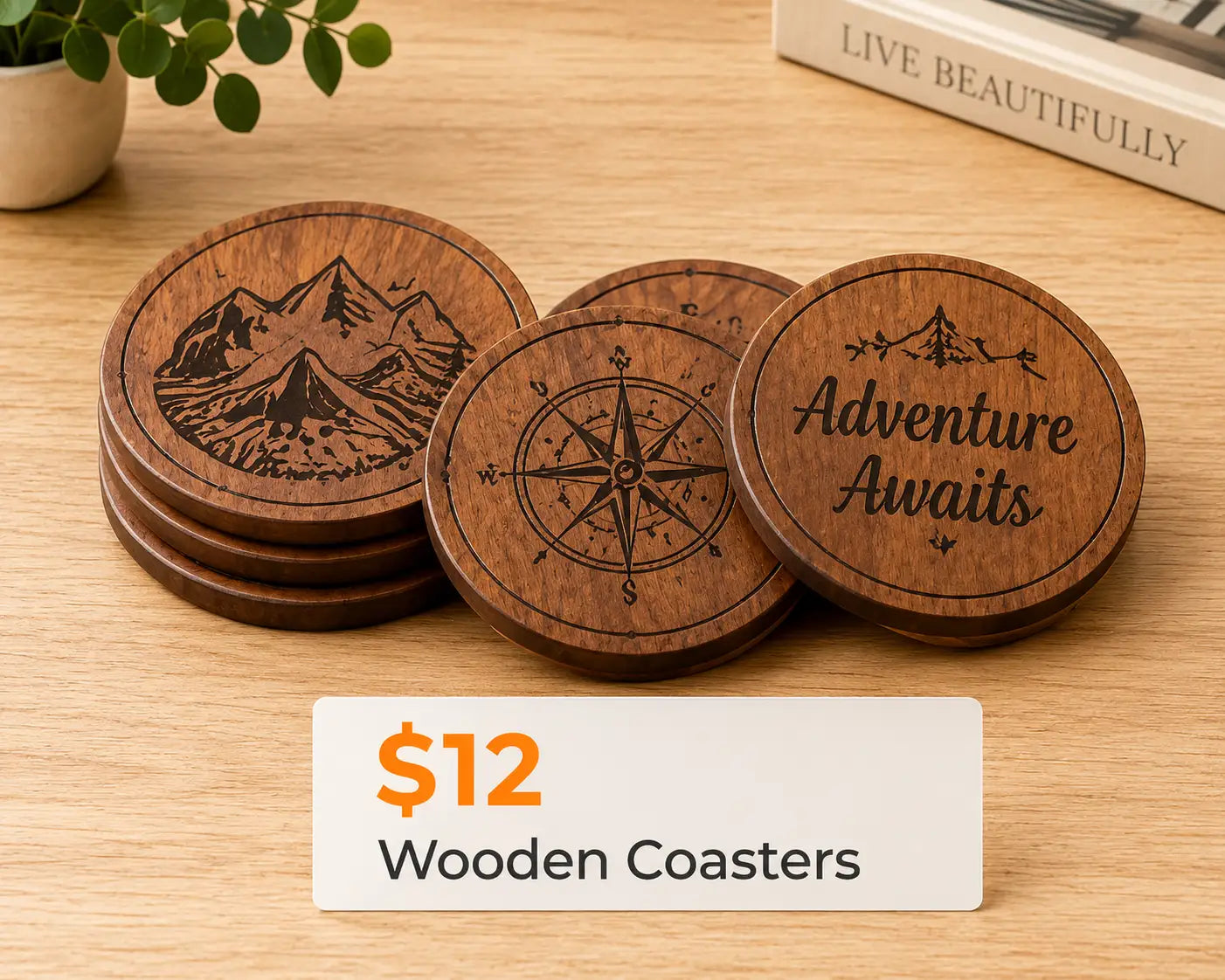
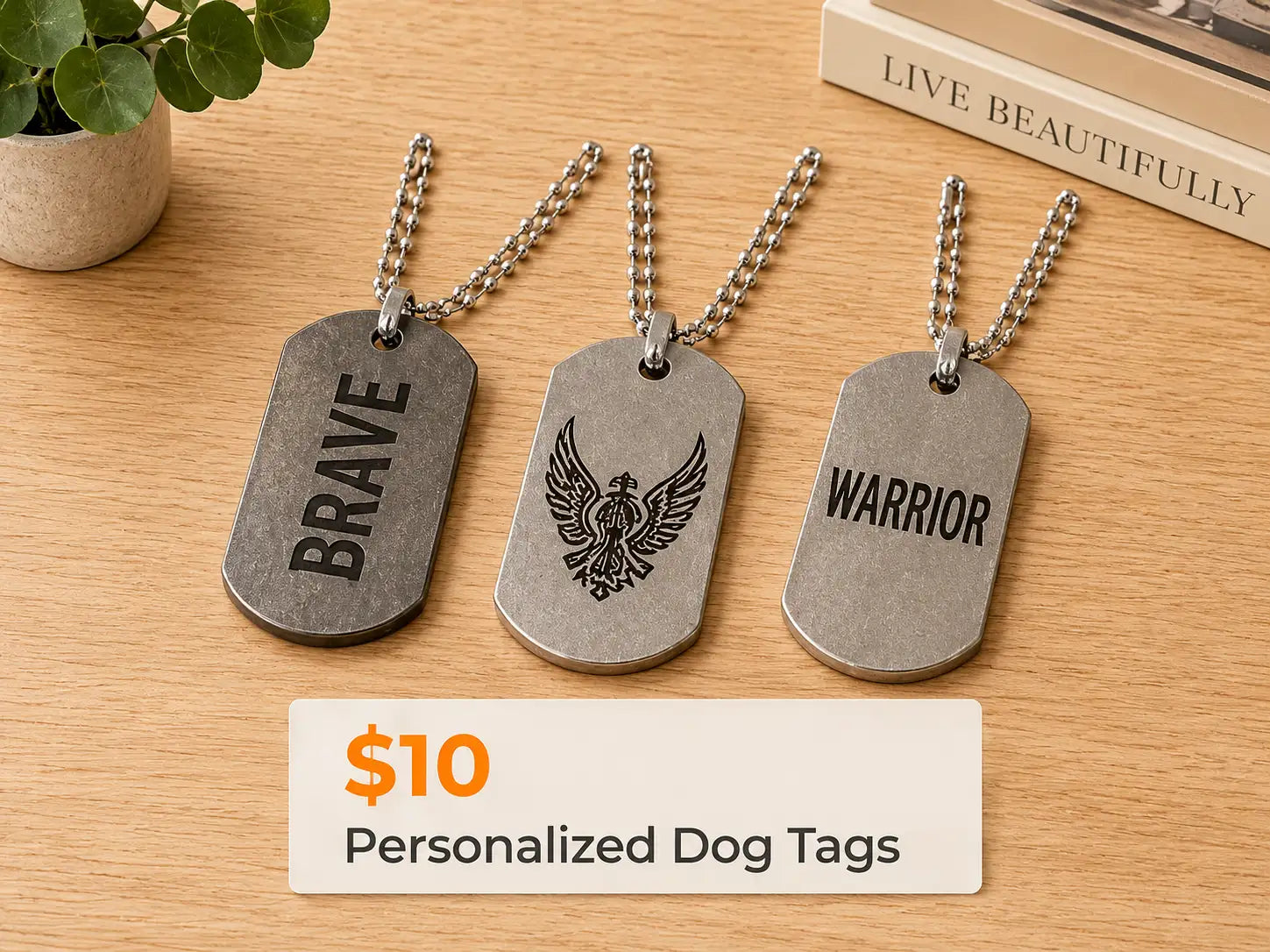
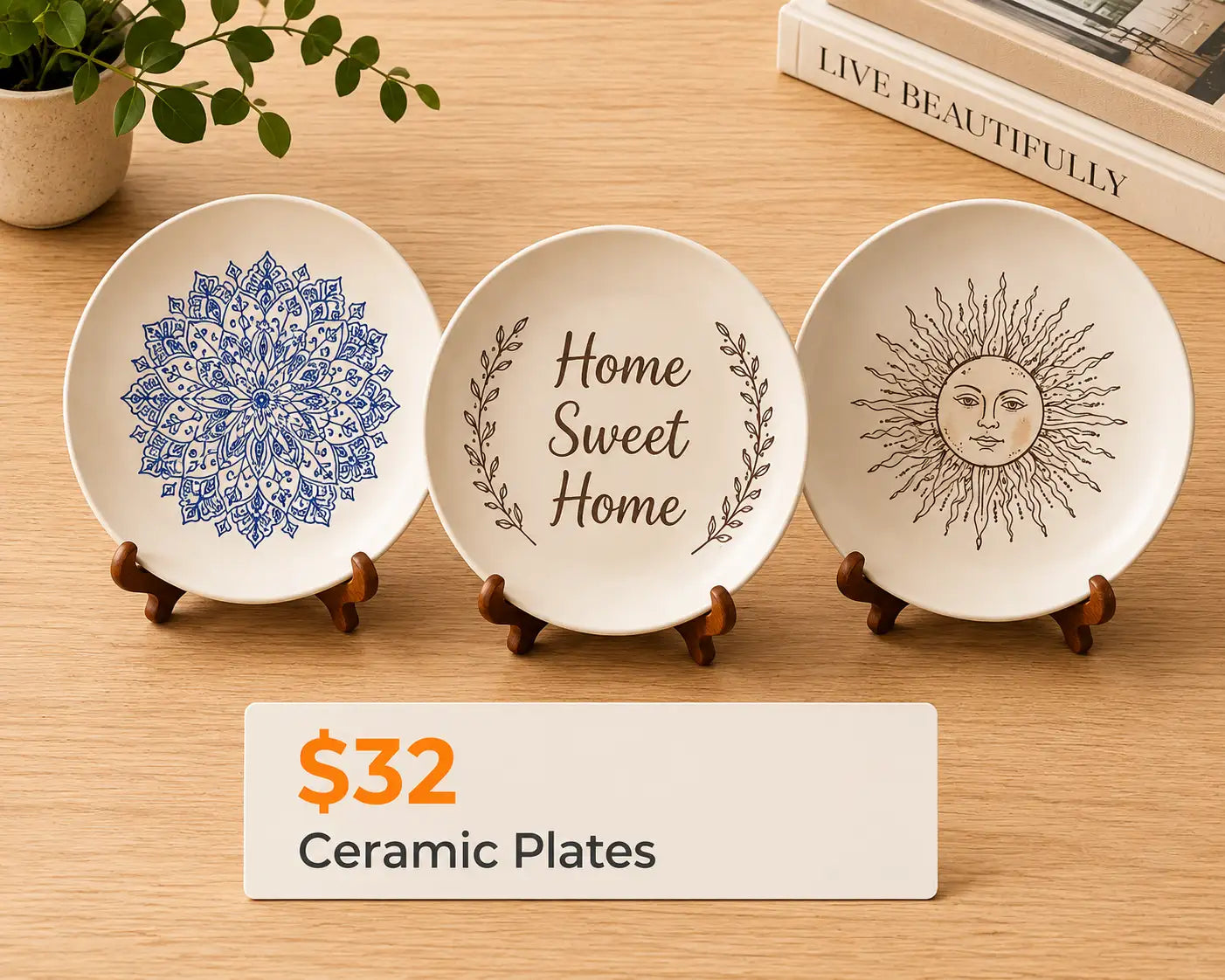
Engrave wood, leather, acrylic, coated metal, stone and more with the versatile K15 Pro.
Up to 15,000 mm/min Engraving Speed
Complete projects faster while maintaining sharp lines, smooth edges and impressive engraving clarity.
Camera-Assisted Precise Positioning
Preview your design directly on the material and position it accurately with the optional camera module.
Engrave Cylinders & Irregular Objects
Pair the K15 Pro with a rotary roller or chuck to personalize tumblers, bottles, rings and irregular objects.
Convenient Offline Engraving
Save your project and start engraving offline—ideal for a simpler, more flexible workflow.
Easy Mobile Control with CutLabX
Connect your phone, import your design and start engraving—no complicated setup or computer required.
Less Charring. Smoother Edges.
Connect the optional air pump to reduce smoke and scorching for cleaner, smoother and more precise cutting results.
Versatile Accessories for More Projects
Add a camera, air pump, rotary roller, chuck, protective shield or IR laser module to take on more materials, shapes and creative projects.
laser level

Durable and fire-resistant plastic shield cover, providing stable protection throughout every engraving workflow.

Prevents laser light, smoke, and debris from escaping — KEEP a cleaner, safer workspace.

The machine automatically stop when the lid is opened or machine is tilt

| Overall Design & Structure | |
|---|---|
| Product Model | K15 Pro (Silver Version) |
| Frame Material | High-strength anodized aluminum, reinforced structure |
| Machine Size | Approx. 432 × 295 mm |
| Engraving Area | 300 × 200 mm (A4 size) |
| Max. Engraving Height | < 60 mm |
| Net Weight | Approx. 2.7 kg |
| Laser Module | |
| Laser Type | Diode Laser, Air-cooled |
| Laser Power Options | 7W / 12W (1W IR module coming soon) |
| Wavelength | 455 nm (Blue diode) |
| Spot Size | 0.01 × 0.01 mm (high-precision focused beam) |
| Laser Lifespan | > 10,000 hours (27°C environment) |
| Max. Engraving Speed | 15,000 mm/min |
| Electronics & Control | |
| Input Voltage | DC 24V 2A / 2.5A |
| Data Transmission | USB wired & WiFi wireless |
| Mainboard | 32-bit MCU, GRBL-based control |
| Software & Compatibility | |
| Supported Software | CutLabX, LightBurn, LaserGRBL |
| Operating Systems | Windows, macOS, Android, iOS |
| Supported Formats | JPG, JPEG, PNG, BMP, SVG, DXF, G-code, PLT |
| Supported Materials | |
| Engraving Compatibility | Wood, bamboo, leather, kraft paper, cardboard, fabric, slate, stone, rubber, acrylic (coated), painted metal, glass (coated), etc. |
| Safety & Durability | |
| Safety Features | Enclosed shield window, goggles included, emergency protection via limit switches |
| Thermal Management | Air-cooled stable performance |
| Optional Accessories | |
| Available Add-ons | Rotary module, air pump, camera module, protective shield, riser extensions, etc. |
| What's in the Box | |
| Standard Accessories | Power supply Type-B cable Goggles TF card and reader Marker Brush User manual Test paper 4 height risers |
The 7W version is suitable for everyday engraving and light cutting, while the 12W version provides faster engraving and stronger cutting performance. Choose the 12W version if cutting is an important part of your projects.
The K15 Pro can work with more than 300 materials, including wood, bamboo, leather, kraft paper, cardboard, slate, dark acrylic, coated glass and coated or anodized metal. Material compatibility depends on the installed laser module.
The blue diode module can mark coated, painted and anodized metals. For direct marking on suitable bare metals, select the optional 1W infrared laser module. Results may vary depending on the metal type and surface finish.
The K15 Pro provides a 300 × 200 mm engraving area, approximately the size of A4 paper. Its compact footprint makes it suitable for desktop use, home studios and small workshops.
The K15 Pro supports engraving speeds of up to 15,000 mm/min. The recommended speed depends on the material, laser module and desired engraving depth or contrast.
The camera provides a visual preview of the work area, allowing you to position the design directly over the material. This makes alignment easier and helps reduce positioning errors and material waste.
Yes. The K15 Pro supports mobile operation through CutLabX. Connect the machine, import your design and configure the engraving settings to start creating without a complicated setup.
The K15 Pro is compatible with LightBurn and LaserGRBL on a computer, as well as CutLabX for supported mobile workflows. LightBurn requires a separate license, while LaserGRBL is available for Windows.
Yes. The K15 Pro supports offline engraving after the project file and settings have been transferred to the machine. An internet connection may still be required for initial software installation, account services or software updates.
The optional air pump directs airflow toward the cutting point to reduce smoke, residue and edge scorching. It helps produce cleaner cuts, smoother edges and more consistent results, especially when cutting wood and similar materials.
Yes. With a compatible rotary roller or chuck attachment, the K15 Pro can engrave tumblers, cups, bottles and other cylindrical or irregularly shaped objects. Additional height adjustment may be required for larger items.
Available accessories include an air pump, camera module, protective shield, rotary roller, rotary chuck and infrared laser module. Accessories can be selected according to your materials and project requirements.
Yes. Its compact structure, straightforward focusing process, mobile control and broad software compatibility make it suitable for beginners. Always perform a material test before starting the final project.
Use suitable laser safety glasses and operate the machine in a well-ventilated area. Never leave it unattended during engraving or cutting. A protective enclosure and smoke extraction system are recommended, and PVC, vinyl and unknown materials must not be processed.
Overall rating: 4.7 / 5 from 83 reviews.

I'm very satisfied! The engraving area of 10 x 0 cm is small, but sufficient for most things. You can't get both a huge engraving area and an ultra-compact machine. I also ordered the infrared laser head. All in all, an unbeatable price for a machine that engraves superbly and takes up very little space.
Carverall A1Pro Mini Laser Engraver | Portable & Desktop | Dual Laser Options

I purchased the X1PRO primarily to work on creative projects with my children and to craft simple handmade items together. Its spacious workspace provides ample room for us to experiment with a wide variety of creative ideas—keeping the children highly engaged while allowing them to acquire various skills through hands-on practice.
Carverall X1Pro 20W Diode Laser Engraver | Model JL9_Work Area 300*300mm

Recently, I set myself a rather ambitious challenge: to construct a wooden globe that could be manually rotated. This undertaking involved a great deal of intricate cutting and precise assembly; truth be told, I wasn't entirely confident at the outset and wasn't sure if I would be able to see it through to completion. The entire crafting process was time-consuming, but the experience of personally building it into a tangible form, step by step, was truly enjoyable. The X1PRO device I purchased from Carverall performed exceptionally well in cutting wood—effortlessly handling even the most complex and delicate components—which undoubtedly played a pivotal role in the project's success. Upon completing the piece, I realized with deep appreciation that this machine has truly opened up a world of infinite possibilities for me. Now, I am considering using this experience as a springboard to launch a small side business, specializing in the creation of various custom-made handcrafted items.
Carverall X1Pro 20W Diode Laser Engraver | Model JL9_Work Area 300*300mm

The X1PRO is perfect for making home decorations. I’ve been cutting various shapes and combining them into display pieces, and it handles larger patterns really well.It’s beginner-friendly but still powerful enough to get creative. My kids also like joining in, which makes it a nice family activity.
Carverall X1Pro 20W Diode Laser Engraver | Model JL9_Work Area 300*300mm

Ideal for small-scale wood carving projects—particularly for beginners and home users. Once set up, it is easy to operate and offers reliable performance; it also serves as a fun way for children to unleash their creativity.
Carverall X1Pro 20W Diode Laser Engraver | Model JL9_Work Area 300*300mm

I used the X1PRO to cut a hollow letter design, and the result turned out very clean. The machine handled the full design in one go, which saved a lot of time.Edges were sharp and details stayed intact. After a bit of setup, it works very reliably for custom patterns.
Carverall X1Pro 20W Diode Laser Engraver | Model JL9_Work Area 300*300mm

I bought the 7W version mainly for engraving wood, and it works really well. The details are sharp and clean, especially for small text. Setup was easier than I expected.

I use the A1PRO for various small commercial projects, mainly engraving on leather and coated metals. The level of detail is impressive, especially when engraving logos and tiny text. So far, the machine has proven to be extremely reliable.
Carverall A1Pro Mini Laser Engraver | Portable & Desktop | Dual Laser Options

The 7W is perfect for beginners like me. I mainly engrave leather patches and thin wood, and the results are very clean. Good value for the price.

Overall, this is a very solid machine. The A1PRO feels well-built and remains remarkably stable during operation. The resulting engravings are crisp and sharp.
Carverall A1Pro Mini Laser Engraver | Portable & Desktop | Dual Laser Options

The 12W model has more power than I thought. I’ve been using it on plywood and coated metals, and the results are consistent. Definitely a good upgrade if you need more cutting ability.

Using the 7W for custom gifts and it does a great job on wood. The engraving is precise and the machine feels stable during operation.

I chose the 12W version for better performance, and it didn’t disappoint. Faster engraving speed and cleaner cuts compared to my previous machine.

The presence of the camera makes batch engraving incredibly effortless. I can precisely position my designs without having to rely on guesswork, which reduces material waste and boosts my workflow efficiency. It’s a fantastic feature for production-oriented work.
Carverall A1Pro Mini Laser Engraver | Portable & Desktop | Dual Laser Options

Very happy with the 12W model. It handles thicker materials better and saves a lot of time. The engraving quality is still very detailed.

The camera feature on the A1PRO is an absolute game-changer for batch engraving. I can quickly align multiple items to be engraved—in this case, keychains—and achieve consistent results every single time. It has truly saved me a significant amount of time.
Carverall A1Pro Mini Laser Engraver | Portable & Desktop | Dual Laser Options

Its not the machine but the person using it. And that really relates to the software. And trial and error but i love it.

Great product!!!!
Carverall X1 Laser Engraver | Desktop with Protective | Dual Laser Option

Great laser engraver. Very fast construction and works precisely
Carverall X1 Laser Engraver | Desktop with Protective | Dual Laser Option

Solid build quality and accurate positioning. The blue laser produces sharp lines, and overall performance exceeded my expectations.
Carverall X2/K15 Pro Mini Portable Laser Engraver | 300*200mm

The 300×300 working area gives me plenty of space for larger designs. While the laser is 20W, it still handles engraving efficiently and meets my needs for small business production. Great value for the price.
Carverall X1Pro 20W Diode Laser Engraver | Work Area 300*300mm

The A1Pro is compact but powerful enough for my Etsy shop needs. Setup was straightforward and the machine feels stable during operation.
Carverall A1Pro Mini Laser Engraver | Portable & Desktop | Dual Laser Options

Solid entry-level blue laser engraver. The A1Pro offers good performance for the price. I’d love to see more accessories or enclosure options in the future.
Carverall A1Pro Mini Laser Engraver | Portable & Desktop | Dual Laser Options

Great value for a small blue laser engraver. It handles detailed designs well and runs smoothly even during longer sessions.
Carverall X2/K15 Pro Mini Portable Laser Engraver | 300*200mm

I’ve been using the X1 Pro mainly for leather and plywood projects. The 20W laser delivers precise details and consistent results. The machine runs smoothly and feels very well built.
Carverall X1Pro 20W Diode Laser Engraver | Work Area 300*300mm

The K15Pro is ideal for DIY and small business use. Compact size, stable performance, and consistent engraving quality.
Carverall X2/K15 Pro Mini Portable Laser Engraver | 300*200mm

I mainly use the A1Pro for hobby projects. It works great on wood and cardboard. Acrylic engraving is decent, though slower speeds give better results.
Carverall A1Pro Mini Laser Engraver | Portable & Desktop | Dual Laser Options

As a beginner, I found the X1 Pro very easy to learn. The software is intuitive, and the 20W laser produces sharp, clean engraving results on different materials. I’m very satisfied with the performance.
Carverall X1Pro 20W Diode Laser Engraver | Work Area 300*300mm

What I like most about the A1Pro is its consistency. Even after several hours of use, the engraving quality remains sharp. Cooling and noise levels are acceptable.
Carverall A1Pro Mini Laser Engraver | Portable & Desktop | Dual Laser Options

As a beginner, I found the K15Pro very user-friendly. The software is intuitive and the engraving results are clean and precise.
Carverall X2/K15 Pro Mini Portable Laser Engraver | 300*200mm

This is the best blue hoodie I've ever seen
Carverall X1Pro 20W Diode Laser Engraver | Work Area 300*300mm

I upgraded to the A1Pro from an older engraver and immediately noticed better precision. It handles fine text and logos very well, especially on plywood and leather.
Carverall A1Pro Mini Laser Engraver | Portable & Desktop | Dual Laser Options

The K15Pro is compact and easy to set up. The blue laser engraving quality is impressive on wood and leather. Perfect for small workshop projects.
Carverall X2/K15 Pro Mini Portable Laser Engraver | 300*200mm

Excelente para iniciantes e profissionais. O software é fácil de usar e os acessórios tornam a máquina muito versátil.

Montagem simples e rápida. Já gravei madeira, couro e até vidro com ótimos resultados.

A K15 Pro é incrível! Compacta, mas muito potente. O laser de 10W funciona muito bem em diferentes materiais.

Excelente precisión y resultados profesionales. La recomiendo para cualquiera que quiera empezar con el grabado láser.

Installation rapide et claire. J’ai pu graver du bois et du cuir sans problème. Excellent rapport qualité/prix.

Fácil de montar y de usar. El área de 300×200 mm es suficiente para la mayoría de mis trabajos artesanales.

Muy buena calidad. La máquina corta madera y acrílico con facilidad. Perfecta para proyectos de bricolaje.

Made for makers. Built for what comes next.


